Introduction: What Is MT4?
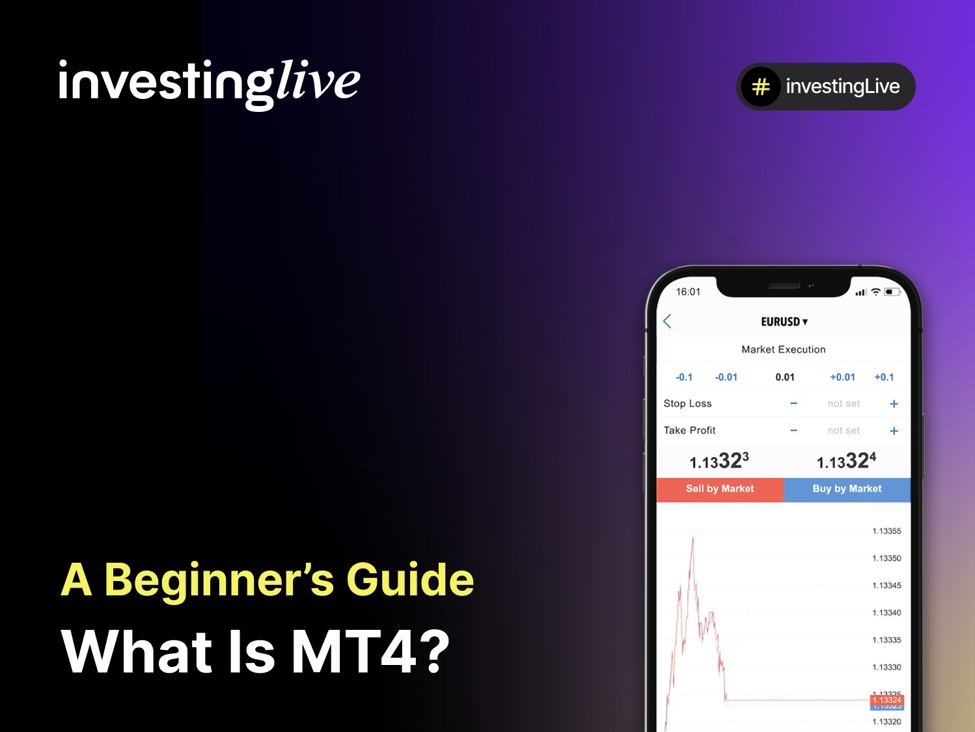
MetaTrader 4 , often called MT4, is one of the most popular platforms for trading in the world. It was created in 2005 by a company named MetaQuotes Software. MT4 became very popular quickly because it is easy to use, allows traders to customize charts, and supports automated trading through tools called Expert Advisors (EAs).
MT4 is a trading platform, not a broker. Instead, it is a platform that brokers provide to their clients to help them access global markets. When users connect to a broker through MT4, they can:
-
Place buy and sell orders for forex, indices, commodities, and CFDs.
-
Analyze price movements using charts and indicators.
-
Automate their trading strategies with trading bots.
Example: A trader connected to a forex broker through MT4 can open a position for the EUR/USD currency pair, track live price changes, use indicators like moving averages, and set automated stop-loss and take-profit levels, all within the platform.
Despite the introduction of newer platforms like MT5, MT4 remains a favorite for both beginners and experienced traders due to its simplicity and reliability.
Why MT4 Is Popular Among Traders
MT4 is favored because it balances user-friendliness with robust tools for market participants. Here are the main reasons why traders around the world continue to use it:
-
User-Friendly Interface: The platform is designed to be easy for beginners. It has clear charts and easy navigation, making it accessible for those who are new to trading.
-
Wide Broker Support: Most forex and CFD brokers provide MT4, enabling users to change brokers seamlessly while continuing to use the same tool.
-
Advanced Charting Tools: MT4 provides various chart types, timeframes, and over 30 built-in indicators, with the ability to add thousands more custom indicators.
-
Automated Trading (Expert Advisors): The platform enables users to implement automated strategies via Expert Advisors (EAs), which execute trades according to predefined criteria.
-
Lightweight and Reliable: Unlike some newer platforms, MT4 runs quickly and smoothly on most devices without needing high-end hardware.
-
Large Trading Community: Having been established for nearly two decades, MT4 boasts a vibrant online community where market participants exchange free indicators, custom scripts, and tutorials.
Tip for beginners: MT4 is great for learning the basics of trading platforms because of its straightforward layout and the many educational resources available.
Key Features of MT4
MT4 is not just a trading platform; it is a complete toolkit for market analysis, trade execution, and automation. Here are its most important features:
-
Trading Instruments: MT4 allows trading in forex, indices, commodities, and CFDs, depending on what your broker offers.
-
Multiple Order Types: Users can execute various types of orders:
-
Market orders: Buy or sell immediately at the current price.
-
Pending orders: Buy or sell at a specific price in the future.
-
Stop-loss and take-profit orders: Used to manage risk and secure profits.
-
Charting and Analysis Tools: MT4 offers up to 9 different timeframes (from 1 minute to 1 month) and more than 30 built-in indicators (like MACD, RSI, and Moving Averages), along with drawing tools for trendlines and channels.
-
Customization: Participants can download or create custom indicators, scripts, and templates to tailor their experience on the platform.
-
Expert Advisors (EAs): These are automated trading bots that can execute trades 24/7 without needing human input.
-
Alerts and Notifications: Users can set price alerts or receive push notifications on mobile devices for important market events.
-
Multi-Device Support: MT4 works on Windows, Mac (using emulators), Android, and iOS, allowing traders to keep track of their trades while on the go.
Example: A trader might use MT4’s charts to analyze the EUR/USD currency pair, place a pending buy order at 1.0800, set a stop-loss at 1.0750, and a take-profit at 1.0900, all from the same interface.
How to Download and Set Up MT4
Starting with MT4 is straightforward. Here’s a simple step-by-step guide:
Step 1 – Choose a Broker
MT4 is a platform, not a broker. First, you need to open an account with a regulated broker that supports MT4.
Step 2 – Download MT4
Visit your broker’s website or the official MetaQuotes site to download the platform. Most brokers provide easy download links for desktop, web, and mobile versions.
Step 3 – Install the Platform
Follow the installation instructions. Once you install it, you’ll see the MT4 icon on your desktop or mobile device.
Step 4 – Log In to Your Account
Open MT4 and click “File > Login to Trade Account.” Enter your broker’s server, account number, and the password you received after account approval.
Step 5 – Explore the Interface
Take some time to get familiar with the platform:
-
Market Watch: Shows real-time quotes.
-
Navigator: Provides access to accounts, indicators, and Expert Advisors.
-
Terminal: Manages trades, account history, alerts, and news.
Step 6 – Start with a Demo Account
Before you risk real money, open a demo account. This allows you to practice trading with virtual funds and learn how to place orders and use indicators.
Beginner Tip: Always practice in demo mode first. It helps you learn how the platform works without any financial risk.
How to Use MT4 to Trade – Step by Step
Once your MT4 platform is set up, you can start trading. Here’s a simple process:
Step 1 – Select a Market
In the Market Watch window, choose the asset you want to trade (like EUR/USD, Gold, or the S&P 500 index).
Step 2 – Open a Chart
Right-click on the instrument and select “Chart Window.” Use timeframes and indicators to analyze the market before placing a trade.
Step 3 – Place an Order
Click the New Order button (or press F9). You’ll see the order window where you can:
-
Select the instrument
-
Enter trade volume (lot size)
-
Set stop-loss and take-profit levels
-
Choose order type (market order or pending order)
Step 4 – Execute the Trade
Your open trade will appear in the Terminal window.
Step 5 – Manage the Trade
You can move stop-loss or take-profit levels by dragging them directly on the chart. To close the trade manually, click the “X” next to it in the Terminal.
Step 6 – Review and Learn
Check your trading history under the Account History tab. Use this information to evaluate how you did and improve your strategy.
Example: You analyze the EUR/USD pair and believe the price will rise. You place a buy order at 1.0800 with a stop-loss at 1.0770 and a take-profit at 1.0850. The trade executes instantly, and MT4 automatically manages the risk and exit levels for you.
Beginner Tip: Always set a stop-loss to protect your account from large unexpected losses. It helps protect your account from large unexpected losses.
Advantages of Using MT4
MT4 is one of the most popular platforms for market activity because of its reliability and versatility. Here are the main benefits:
-
Free and Widely Available: Most brokers offer MT4 for free, making it accessible to traders at all levels.
-
User-Friendly Design: Its simple interface makes it easy for beginners to learn, while advanced tools keep experienced traders engaged.
-
Customization Options: There are thousands of free and paid indicators, scripts, and Expert Advisors (EAs) available, allowing traders to personalize the platform to fit their strategies.
-
Automated Trading: With EAs, MT4 supports algorithmic trading, allowing strategies to run 24/7 without needing manual input.
-
Lightweight and Fast: Unlike some newer platforms, MT4 runs smoothly on most devices without requiring high system specifications.
-
Large Global Community: With millions of users, MT4 has one of the largest trading communities, providing easy access to forums, tutorials, and shared resources.
-
Mobile Trading: MT4’s mobile app allows traders to monitor and manage trades while on the go, ensuring flexibility.
Example: A trader who prefers quick trades can install a custom indicator for short-term signals, while a swing trader can use EAs to automate longer-term strategies, all on the same platform.
Limitations of MT4
While MT4 is a powerful and reliable platform, there are some drawbacks that traders should be aware of:
-
Outdated Interface: MT4 was released in 2005, and while it is still effective, its design may feel old compared to newer platforms.
-
Limited Asset Classes: MT4 was primarily created for forex trading. Although many brokers now offer CFDs on shares, indices, and commodities, its features are not as comprehensive as newer platforms.
-
One Account = One Login: Each trading account requires a separate login, which can make managing multiple accounts more complicated.
-
Limited Timeframes and Indicators: MT4 provides 9 timeframes and about 30 built-in indicators, which may feel limiting for traders who need more advanced analytical tools.
-
No Native Web Version: Some brokers offer a web-based version of MT4, but it is not as advanced as the desktop version. Many traders prefer downloading the software for full functionality.
-
Competition from MT5: MetaTrader 5 (MT5) was introduced as the successor to MT4, offering more timeframes, additional indicators, and a wider range of asset classes. Some brokers now promote MT5 over MT4.
Tip for beginners: MT4 is still a great starting point. Its limitations are more significant for advanced traders who need to cover multiple asset types or require more sophisticated analysis tools.
Who Uses MT4?
MT4 is widely used in the trading world and attracts both beginners and professionals. Here are the main groups of users:
-
Beginner Traders: Many new users start with MT4 because it is simple to use, offers demo accounts, and has many tutorials available. It provides a safe environment to practice trading before moving to real markets.
-
Retail Forex Traders: Independent traders around the world rely on MT4 for its forex-focused tools, custom indicators, and automated strategies. It remains the most popular platform for retail forex trading.
-
Experienced Traders: Professionals who value stability and fast execution often continue to use MT4, especially those who engage in scalping, day trading, or algorithmic trading strategies.
-
Algorithmic Traders: MT4 supports Expert Advisors (EAs), making it a top choice for traders who want to automate their strategies or test them using past data.
-
Brokers and Trading Firms: Most forex and CFD brokers offer MT4 because of its large participant base and compatibility with liquidity providers, ensuring smooth trade execution.
Example: A beginner might use MT4’s demo account to practice forex trades, while an experienced trader might run multiple automated strategies on a live account, both using the same platform.
MT4 vs MT5: Key Differences
MT5 (MetaTrader 5) was introduced as the successor to MT4, but the two platforms differ in design and features. Here’s a comparison:
-
MT4: Simpler and widely supported, making it ideal for beginners and forex traders.
-
MT5: Offers more tools and broader market access, making it better suited for traders who want to trade multiple asset types.
Despite MT5’s advantages, MT4’s familiarity, large community, and continued broker support keep it relevant.
Tip for beginners: If you plan to trade mainly forex and CFDs, MT4 is still more than sufficient. If you want to explore shares, futures, or more advanced analysis, MT5 might be worth your consideration.
Quick Glossary of MT4 Terms
-
MT4 (MetaTrader 4): A platform developed by MetaQuotes, widely used for forex and CFD transactions.
-
Broker Server: The connection point between this platform and your broker, required to log in and conduct live transactions.
-
Market Watch: A window in MT4 showing live quotes for all available instruments.
-
Terminal: The bottom panel in MT4 that displays account balance, open positions, trade history, alerts, and news.
-
Lot: The standardized trade size in forex. One standard lot equals 100,000 units of the base currency.
-
Pip: The smallest unit of price movement in forex (usually 0.0001 for most pairs).
-
Expert Advisor (EA): An automated program (bot) that can execute trades on your behalf based on preset rules.
-
Indicators: Tools such as RSI, MACD, or Moving Averages that help analyze market trends and signals.
-
Stop-Loss (SL): A predefined price level where a transaction will automatically close to limit losses.
-
Take-Profit (TP): A predefined price level where a trade will automatically close to secure profits.
-
Backtesting: Running a strategy on historical data in MT4 to see how it would have performed in the past.
-
VPS (Virtual Private Server): A remote server that allows traders to run MT4 24/7, often used for automated trading.
Example Trade on MT4
Let’s walk through a simple forex trade on MT4 to understand how the process works.
Example 1: A Winning Trade
Setup: You analyze the EUR/USD pair and think the price will go up.
Action:
-
Open a buy order at 1.0800 for 1 lot (100,000 units).
-
Set a stop-loss at 1.0770 and a take-profit at 1.0850.
-
Outcome: The price rises to 1.0850, triggering your take-profit.
-
Result: You earn 50 pips (approximately $500 profit on 1 lot).
Example 2: A Losing Trade
-
Setup: You analyze the same instrument, EUR/USD.
-
Action: You place a buy order at 1.0800 with a stop-loss at 1.0770.
-
Outcome: The price falls to 1.0770, hitting your stop-loss.
-
Result: You lose 30 pips, which is about $300 on a 1 lot trade.
Lesson: This platform simplifies risk management with stop-loss and take-profit orders. The platform automatically closes trades when your chosen levels are reached, helping protect your account from unexpected market changes.
Final Thoughts / Next Steps
This platform remains one of the most trusted and widely used trading solutions in the world. Its simplicity, reliability, and flexibility make it an excellent choice for beginners, while its customization options and automated trading features keep professionals engaged.
If you’re just starting out, here’s the best way to approach this platform:
-
Learn the basics first: Explore the platform with a demo account before trading real money.
-
Practice risk management: Always use stop-losses and keep your risk per trade small.
-
Experiment with tools: Try indicators, scripts, and Expert Advisors to understand how they work.
-
Stay disciplined: Consistency matters more than chasing big wins.
-
Choose a regulated broker: Make sure your broker is licensed and reliable before conducting live transactions.
While this platform may not be the newest option, it continues to be a cornerstone of retail transactions. With the right preparation, it can help you build a strong foundation for a successful trading journey.
Legal Disclaimer
This content serves educational purposes only and is not financial advice. Nothing on this page is financial advice or a solicitation to buy or sell any security, derivative, or trading platform. Engaging in transactions involves risk. Past performance does not guarantee future results. Always check broker licensing on official regulatory registers.
Beginner FAQ
What is MT4 in simple terms?
MT4 (MetaTrader 4) is a platform that allows you to buy and sell assets such as forex, indices, and commodities through a broker.
Is MT4 good for beginners?
Yes. This platform is popular among beginners due to its user-friendly interface, demo accounts, and extensive tutorials and community support.
How much does MT4 cost?
The platform itself is free to download. Some brokers may charge spreads, commissions, or fees for certain services, but MT4 as software has no direct cost.
How to start trading on MT4?
-
Open an account with a broker that provides access to this platform.
-
Download and install the platform.
-
Log in with your broker credentials.
Start with a demo account to practice before conducting transactions with real money.
Is MetaTrader 4 legal?
Yes. This platform is legal and utilized globally. The key is to ensure you are buying and selling with a regulated broker, as that determines the safety of your trading environment.
Is MT4 still relevant in 2025?
Absolutely. Despite the introduction of MT5, this platform continues to be the most widely used option, supported by thousands of brokers and a large community of traders.
Can I trade stocks on MT4?
Yes, but only as CFDs (contracts for difference), depending on whether your broker provides them. MT4 was primarily built for forex trading.
Does MT4 work on mobile?
Yes. This platform has apps for both iOS and Android, allowing users to place and monitor transactions while on the go.
Does MT4 support automated trading?
Yes. You can use Expert Advisors (EAs), which are automated systems that execute strategies automatically.