
WoW Forever is almost here with its full release version, as a good chunk of the MMO community has been waiting for the title. Players who love the World of Warcraft franchise should be excited about this particular entry, as “Forever” is Blizzard’s answer to players’ wishes: a new expanded version of Classic.
However, this time, everyone will be getting revamped skill systems and returning activities from other WoW games, alongside activities exclusive to Forever as well.
This article lists all times by zone, following the official World of Warcraft: Forever release window worldwide.
What time does WoW Forever go live in your local time?
WoW Forever’s official release date is November 4, 2026, and the release time window for the Pacific Time Zone is 3 pm PST on the same day. Some places in Europe, Africa, Asia, and Oceania will gain access to the game on November 5, local time, most of which are listed below:
- United States and South America: 3:00 pm PST / 4:00 pm MST / 5:00 pm CST / 6:00 pm EST / 8:00 pm BRT (November 4)
- Europe: 11:00 pm GMT / 11:00 pm UTC (November 4) / 12:00 am CET / 1:00 am EET (November 5)
- Africa: 1:00 am SAST (November 5)
- Asia: 2:00 am MSK / 3:00 am GST / 4:30 am IST / 7:00 am PHT / 7:00 am CST (Beijing Time) / 8:00 am JST/KST (November 5)
- Oceania: 10:00 am AEDT / 12:00 pm NZDT (noon) (November 5)
Players who purchased the game on the Battle.net launcher can preload it even now, with an approximately 130 GB requirement on your SSD. This way, you will be ready to launch and play as soon as the game launches with its official servers.
Here’s a countdown until the game’s launch for anyone interested in following the game’s release based on their time zone:
Check out: Best Professions to level up fast
Can you pre-load WoW Forever?
As mentioned earlier, WoW Forever can be preloaded before the official launch hits the Battle.net server.
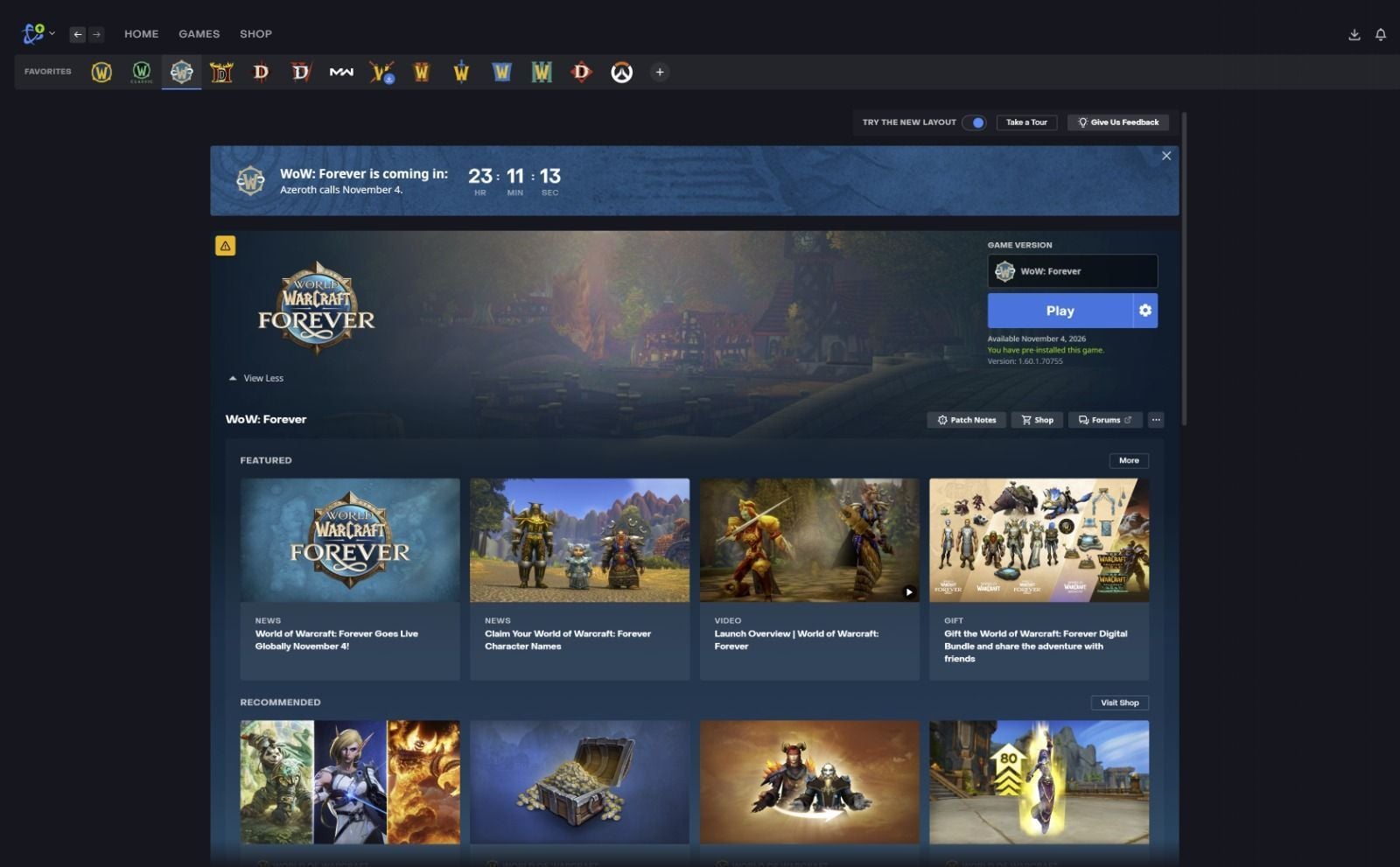
Follow these steps to start preloading the game:
- Log in to your official Battle.net account where you have purchased the game.
- Select World of Warcraft: Forever from the Favorites tab in the launcher.
- On the game page, look for the blue Install button in the bottom-left.
- Before installing, make sure to select the game version for World of Warcraft: Forever, located just above the blue Install button.
- Click on the Install button to get things started.
The same applies to the macOS version of the Battle.net launcher as well.
How large is WoW Forever?
WoW Forever takes up approximately 130 GB of space on PC, and it is highly recommended that players use an SSD to install the game.
Is World of Warcraft: Forever available on Steam?
No. Most WoW games are available via Blizzard’s own PC Client, the Battle.net launcher.
WoW Forever pricing (Do you need a subscription to play?)
Yes. However, players who have bought the Skyborne Epic Pack edition, or the Warcraft Forever collection, from the Battle.net launcher will receive a free 30 days of game time. The Skyborne Epic Pack costs 60$, and the Warcraft Forever Collection edition costs 80$.
Is WoW Forever available on other platforms aside from PC?
No. Players can only buy the game on Windows and mac OS, and not on any other platforms or clients.
What’s the difference between WoW Forever and Classic
Forever will not have any expansions, unlike Classic. However, the former will have several quests, skills, talents, and significantly more features than the base game. Furthermore, Forever comes with a lot of talent tree reworks for classes.
Forever will not have any flying mounts, as the developers want to keep the gameplay more grounded. Forever also comes with polished controller support, as Classic’s controller layout still feels unpolished.
Edited by Soumyadeep Banerjee