


The releasing resources error in Arknights: Endfield can disrupt your experience, as it prevents you from logging in. What’s worse is that it will keep you stuck indefinitely on the game’s title screen unless you fix it. Although the officials haven’t rolled out any update addressing the issue, there are a few general workarounds that might be of aid.
This article further discusses the possible fixes for the Arknights: Endfield releasing resources error.
All possible fixes for Arknights: Endfield releasing resources error
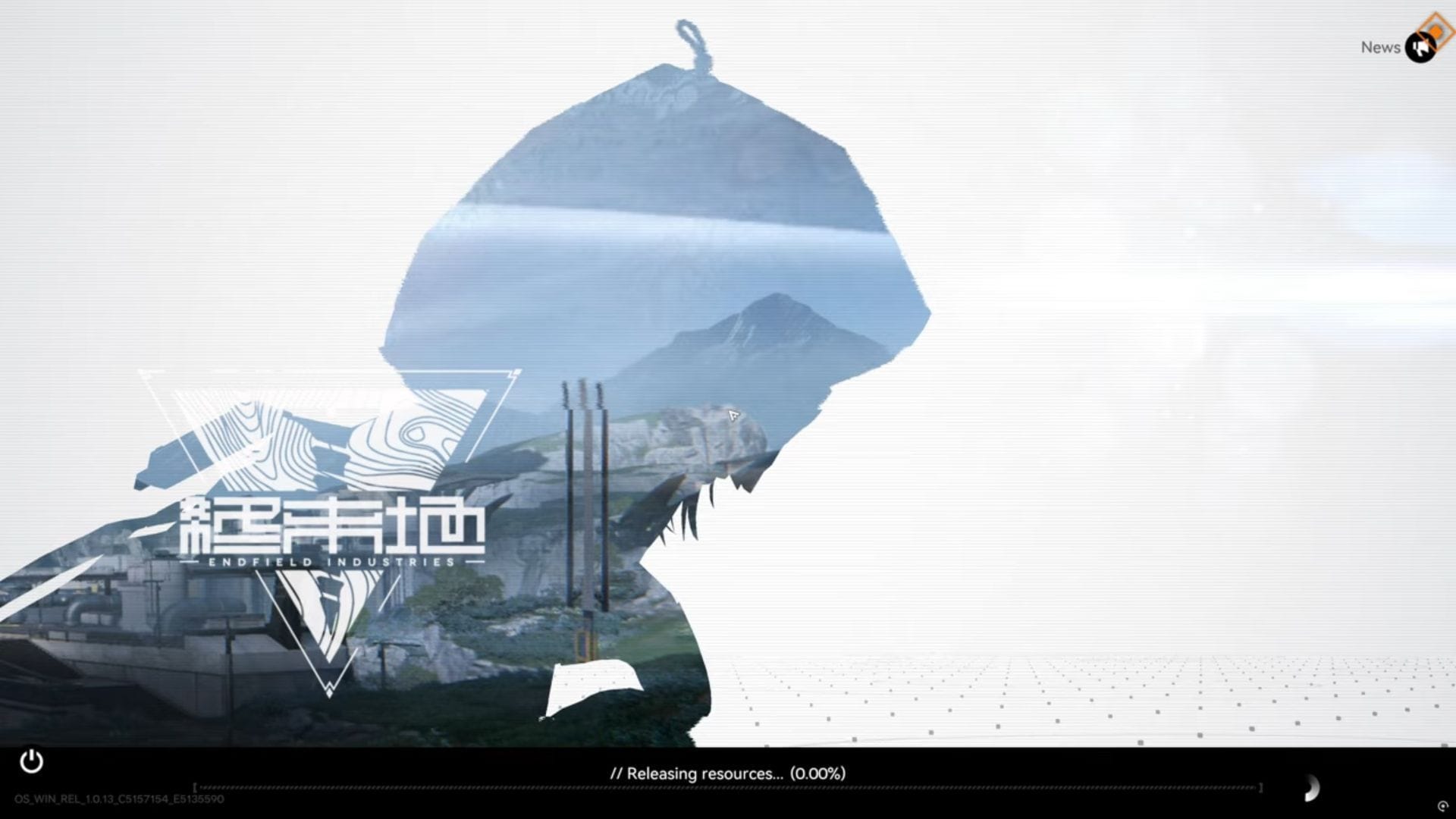
Arknights: Endfield was officially launched on January 22, 2026, and like other gacha games, it is riddled with a few errors. The releasing resources error is by far the most notorious of them, as it puts your game in a hard freeze state. Here are some workarounds that might fix it:
1) Restart the game
Restarting the game will take a few minutes, and it could potentially fix the error that prevents you from logging in. However, we recommend running the game for some time before booting it back. You might have to use the task manager to also close the launcher if the UI is stuck on your screen.
You might have to restart the launcher a few times if the problem persists.
Also read: Best PC optimization guide for Arknights: Endfield
2) Run as administrator
Players online have sucessfully resolves the releasing resources error by running Arknights: Endfield as an administrator. To do so, find the game’s local resources. Right click on the exe file and choose the Run as administrator option.
Running the launcher as an administrator doesn’t always work. To be certain, apply the setting on the game’s exe file.
3) Verify file integrity
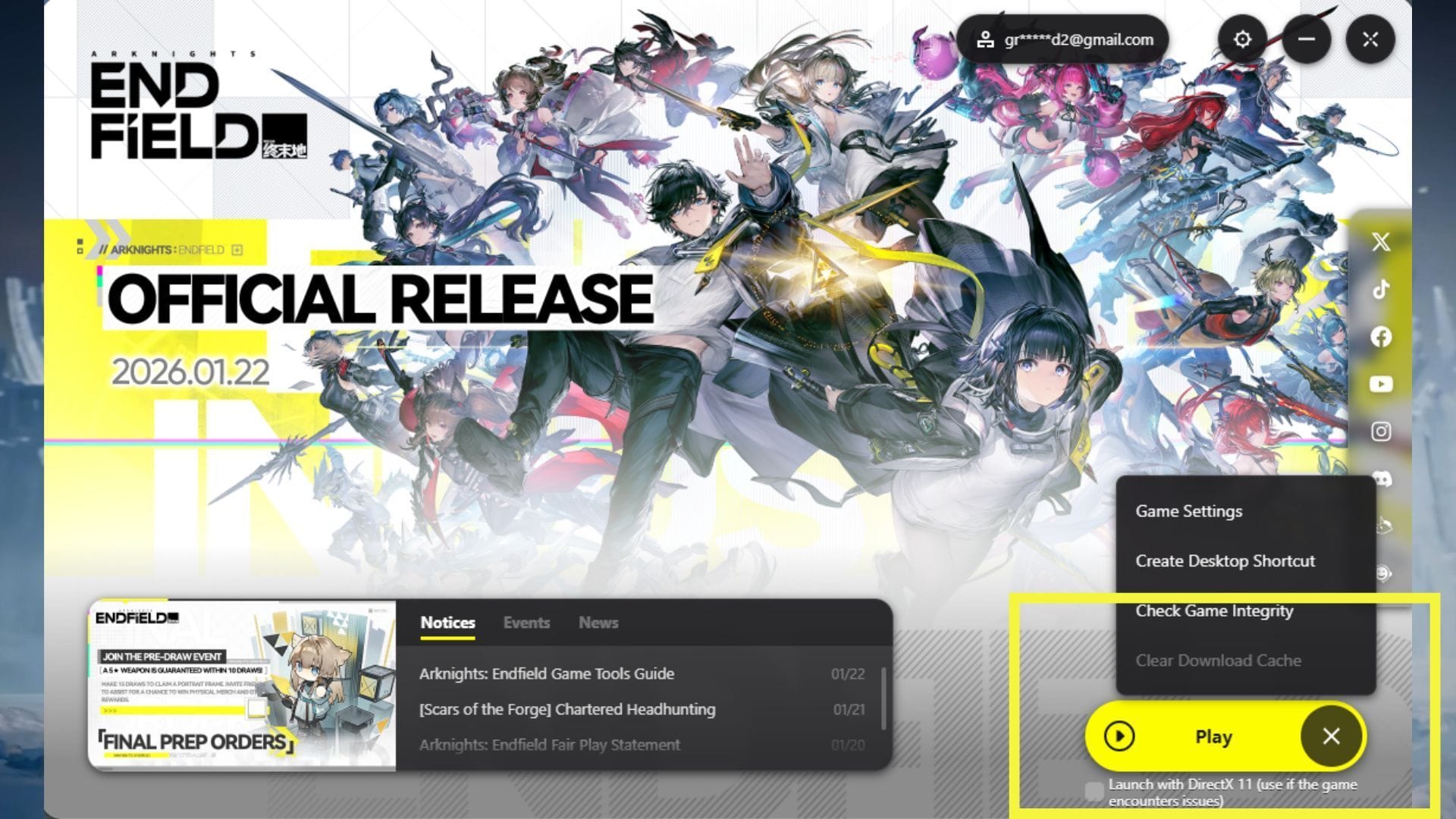
Arknights: Endfield provides a verify integrity feature on the launcher, which can automatically detect and fix the corrupted files. If the releasing resources error is a result of corrupted data, use the specified option to fix it. Just click on the icon denoted with three horizontal lines next to the play button and select Check Game Integrity.
The launcher complete the process before booting up the game.
Also read: All free rewards in Arknights: Endfield official release
4) Restart your PC
Restarting PC often fix errors caused due to a temporary problem. The same might apply to the releasing resources error.
5) Reinstall
Lastly, reinstall Arknights if the problem persists. Make sure to delete all the existing files and start afresh. The releasing resources error isn’t tied to your account, so reinstalling should work.
Check out our other Arknights: Endfield articles:
Are you stuck on today’s Wordle? Our Wordle Solver will help you find the answer.
Edited by Akash Paul







![Getting Started With Google Ads [Infographic]](https://whizbuddy.com/wp-content/uploads/2025/08/Z3M6Ly9kaXZlc2l0ZS1zdG9yYWdlL2RpdmVpbWFnZS9nb29nbGVfYWRzX2NoZWF0c2hlZXQyX3JyVFRGR1oucG5n.webp-600x395.webp)